
19/10/2026 09:39
Customer Details in the Frame? A YouTube Blur Workflow for Cambodian Luggage Repair Shops

A useful suitcase repair video can accidentally show more than the repair: a luggage tag, a collection receipt, or a customer standing behind the counter. For a Cambodian shop promoting its work on YouTube, those details deserve attention before the video receives wider exposure. This guide follows a hypothetical Phnom Penh luggage repair business preparing a wheel demonstration. It explains how to decide whether a blur is sufficient, inspect the finished result, and keep promotion decisions separate from editing decisions. The aim is a video that clearly explains the service without making a customer’s identity part of the demonstration.
1. Define what the viewer actually needs to see
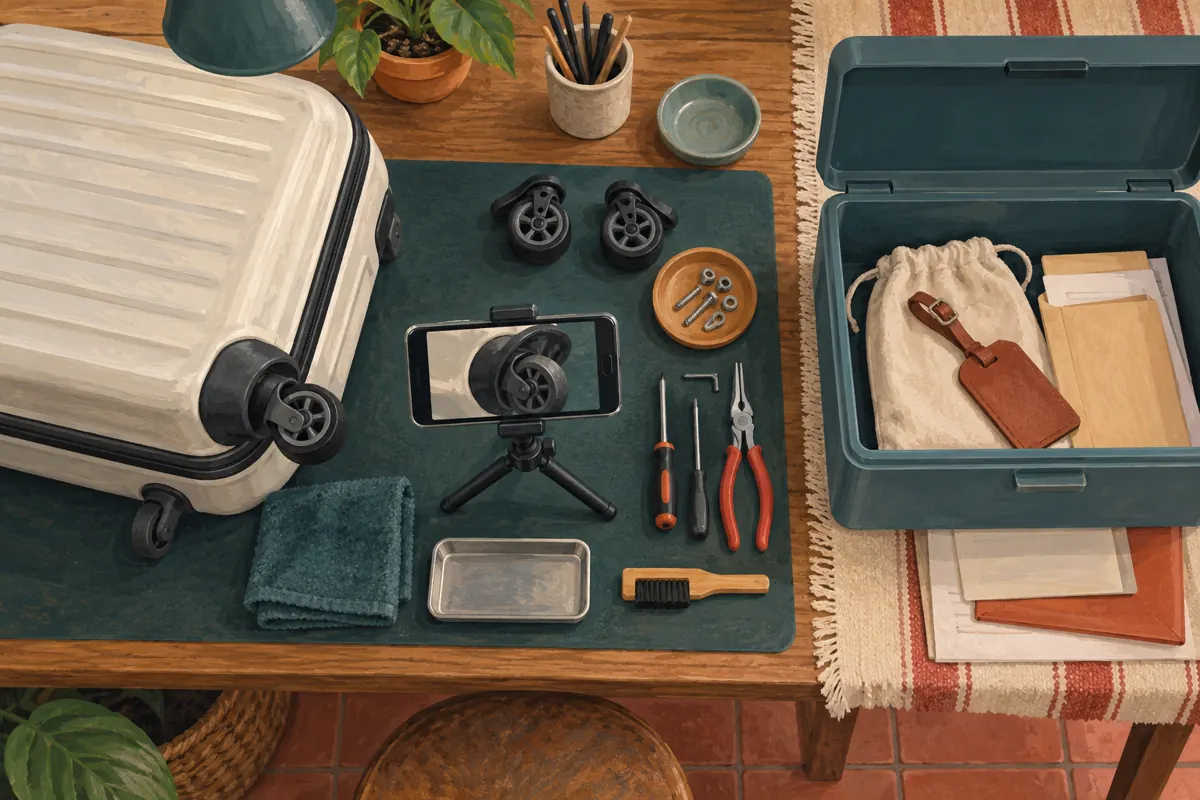
Begin with the practical question the video answers. In this hypothetical example, the shop wants to explain how it checks whether a suitcase wheel assembly can be replaced. Viewers need to see the wheel housing, mounting points and inspection process. They do not need the owner’s name, travel destination or collection reference. This distinction helps the editor protect information without covering the very detail that makes the demonstration useful.
Write a short viewing objective before opening an editor: “A customer should understand which wheel photos to send when requesting an assessment.” Then examine every shot against it. A wide view of the counter may establish context, but it also brings paperwork and bystanders into the frame. If that view contributes little, replacing it with a close-up can improve both clarity and privacy. Treat footage as material to select, rather than something that must all survive.
2. Make an exposure list without copying sensitive details
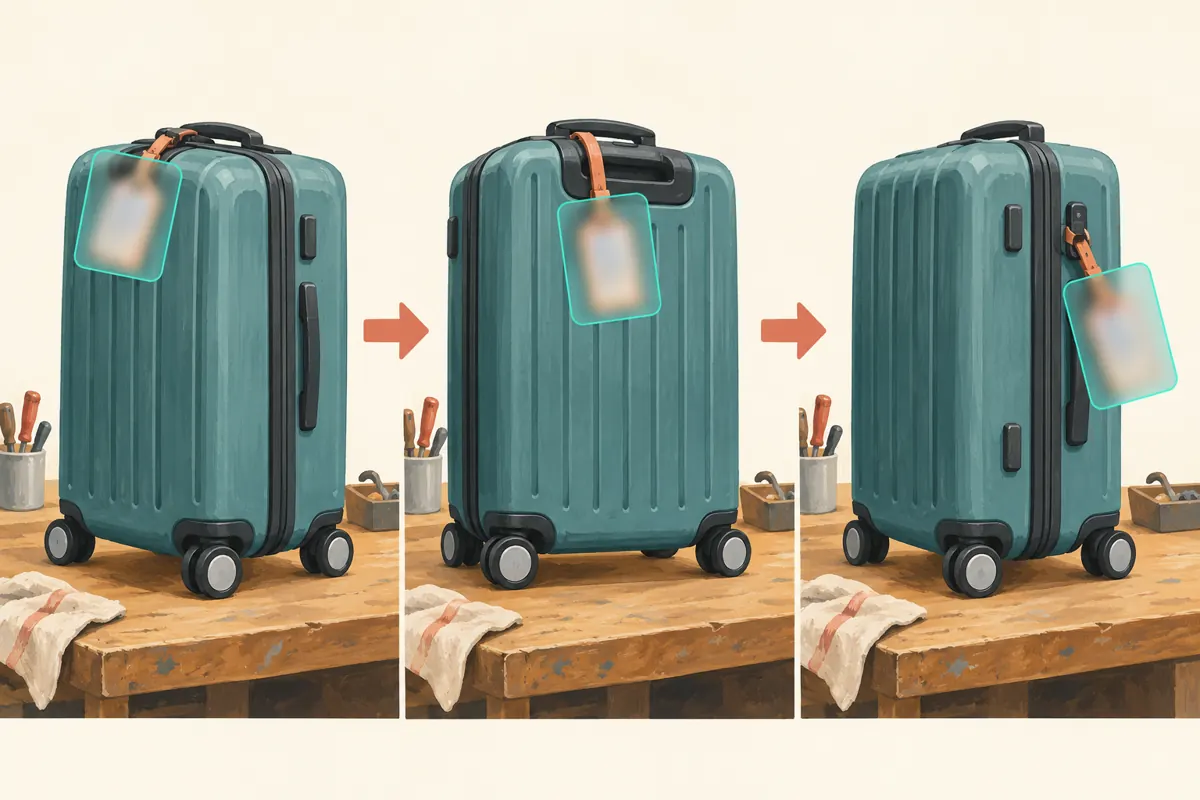
Watch the full recording once for the demonstration and again for incidental information. Look at luggage tags, shipping labels, handwritten repair slips, phone screens and reflections. Listen for spoken names or telephone numbers. A tag may appear harmless when the suitcase faces forward, then become readable when someone rotates it. Background objects also deserve inspection when the camera refocuses away from the wheel.
Record the approximate interval, the object and the required action. A useful hypothetical note is: “Tag appears during the turn; conceal throughout this movement.” There is no need to transcribe the customer’s details into the editing log. If Khmer handwriting appears, ask a colleague who reads it comfortably to review the footage. An editor who cannot interpret a note may mistake meaningful information for an insignificant mark. Keep the review focused on what appears and how to remove it.
3. Choose between blurring, replacing and reshooting
Blurring is a reasonable candidate when the sensitive object occupies a small, separate area and the demonstration remains understandable after concealment. Replacing a shot is often better when the information crosses the repair area. Reshooting is worth considering when several labels move unpredictably, a reflection reveals additional details, or the camera repeatedly loses focus. Compare the effort of checking every affected moment with the effort of recording a clean replacement.
For the hypothetical shop, a tag hanging beside the handle might be manageable because the wheel sits elsewhere in the picture. A receipt underneath the wheel assembly creates a harder problem: covering the receipt could hide the mounting points. The better choice would be to remove the paperwork and repeat the close-up. Do not conceal a product defect or an important repair limitation under the explanation of protecting privacy. The finished video must still represent the work honestly.
4. Prepare the edit before changing the uploaded video
Keep a securely stored original before making changes. YouTube’s official blur guide warns that saved Studio Editor changes cannot be undone through Revert to original. On a computer, open YouTube Studio, select Content, choose the video and open Editor. Under Blur, choose Face blur for detected faces or Custom blur for an object such as a luggage tag. Review the selection before saving.
If exposed customer information is already public, pause further sharing and consider making the video private while resolving it. YouTube explains that unlisted videos remain viewable and shareable by anyone with the link; unlisted is therefore unsuitable as a confidentiality measure. Tell the colleague responsible for promotion that the video is under review. Avoid promising a reopening time until someone has checked the finished result. If the available editing controls cannot produce an acceptable version, prepare a clean replacement rather than rushing the original back into circulation.
5. Match the blur to the object’s movement
YouTube’s Custom blur controls let you resize and position the blurred area, choose a rectangle or oval, and adjust its duration on the timeline. Track object allows movement; Fix blur position keeps the area stationary. Choose according to what happens on screen. A fixed box suits an unmoving area; a moving tag requires closer tracking review. These controls are documented in YouTube’s “Blur your videos” guide.
As an editorial check, leave enough coverage around the information to account for small movements. Inspect the first appearance, each turn and the final disappearance. Pay special attention when a hand passes over the tag or the suitcase briefly leaves the frame. Those transitions are easy to overlook during normal playback. A blur that works in the middle of a shot may still expose information at either end. If coverage fails repeatedly, return to the replace-or-reshoot decision instead of accepting a nearly complete result.
6. Check sound and surrounding material separately
A visual blur does not remove a name spoken in the recording. Listen with headphones and note any customer conversation that is unnecessary for the demonstration. For this workflow, resolve such problems in the source edit or record replacement narration before producing a clean version. Do not assume that covering a luggage tag fixes an introduction in which someone reads the tag aloud.
Inspect the thumbnail, subtitles and promotional extracts as separate assets. A thumbnail exported before the correction may retain the original exposure. A short teaser may use a different camera angle containing another label. Also examine reflections in glossy suitcase shells and nearby glass. The practical question is whether the viewer can still learn the private detail through another part of the presentation. When the answer remains uncertain, remove the affected material. Avoid sending unredacted stills around a large team merely to ask whether they look readable.
7. Review the finished result as both editor and customer
After the saved result is available, watch the whole video again. First inspect concealment at a larger viewing size. Pause around the intervals on the exposure list and check that no readable detail escapes the covered area. Then watch on a phone as an ordinary customer would. The second pass answers a different question: can someone still understand the wheel inspection without the blur becoming a distracting obstacle?
Ask a colleague who did not perform the edit to review the result. Give that person the viewing objective and the list of affected objects, without copying the private information. A hypothetical approval note could say: “Tag concealed throughout the turn; wheel mounting points remain visible; audio checked.” If the reviewer cannot follow an important step, improve the explanation or replace the shot. Privacy protection and a useful demonstration both need to pass. Neither should be inferred from the other.
8. Keep SMM service decisions outside the editing approval
An SMM panel customer should not treat a corrected video as automatic approval to buy engagement. The supplied angkorsmm.com catalogue includes “Youtube ~ Comments Like ~ 𝐍𝐎 𝗥𝗘𝗙𝗜𝗟𝗟 ~ Max 100k ~ 1k/hrs ~ INSTANT”. Its wording identifies a comment-like offering, but the brief contains no supporting description. The title alone does not establish delivery quality, audience identity, Cambodian relevance or any relationship with YouTube. It also does not describe a privacy-editing service.
YouTube’s fake engagement policy prohibits artificial increases to engagement metrics and warns that a hired promoter’s actions can affect the channel. Decline methods that depend on artificial engagement. Purchased engagement is not evidence of genuine interest, sales, ad delivery or Cambodian viewers. Editing readiness and promotion suitability require separate decisions. For this shop, a practical next step is sharing the approved demonstration with people who have genuinely asked about wheel repairs, using a relevant explanation and an invitation to request an assessment.
9. Publish a useful invitation without overstating the demonstration
Build the promotional message around what the video actually explains. In the hypothetical example, the shop could invite customers to send a close-up of the damaged wheel and its mounting area for an initial discussion. It should also ask them to keep names, addresses and luggage tags out of those pictures. This makes the next action clearer while carrying the same privacy discipline into enquiries.
Avoid claiming that every suitcase can accept the replacement shown. Explain that the demonstration concerns the illustrated assembly and that an assessment is needed for other designs. If the shop serves customers in Phnom Penh but accepts enquiries from elsewhere in Cambodia, distinguish an enquiry from a confirmed delivery or collection arrangement. Review incoming questions for misunderstandings: repeated uncertainty about mounting compatibility may justify another close-up. A larger engagement count cannot tell the editor whether that explanation is clear.
10. Prevent the same problem in the next recording
Set up a small filming area away from customer paperwork. With appropriate permission, remove detachable tags from the demonstration item and keep them safely associated with it outside the shot. Clear phone screens and receipts from the bench. Frame the recording around the repair rather than the whole counter. Before the full take, record a short sample and inspect the background, reflections and sound.
Common mistakes include checking only a still frame, assuming tracking always remains accurate, forgetting the thumbnail and rushing because a promotional slot is approaching. Another mistake is retaining an awkward shot simply because filming it took effort. Build a brief review pause into the production routine instead. Name one person responsible for the footage and one for its release. Their shared record only needs the video reference, unresolved issues and approval status; it does not need a second collection of customer information.
Frequently asked questions
Is a blur enough if part of a telephone number remains visible?
Treat that as an incomplete edit. Cover the full information area and inspect the surrounding footage for another appearance. Partial concealment is an unreliable standard because viewers may combine details from different moments. If adequate coverage hides the repair process, replace the shot.
Should the shop blur every person in the workshop?
Start by deciding who needs to appear and whether their participation is appropriate and agreed. A staff demonstrator and an incidental customer are different editorial situations. Avoid including unnecessary bystanders. Blurring a face also does not automatically remove identifying speech, clothing or contextual details.
Can a small team finish this review without specialist equipment?
The essential work is careful selection and viewing. YouTube documents its blur workflow for a computer, while a phone is useful for the final customer-view check. If the shot requires complicated concealment, a simple reshoot on a cleared bench may be more manageable than extensive editing.
Does changing visibility remove copies someone already saved?
Do not assume so. Restricting access to the upload cannot be relied on to erase a screenshot or a previously saved copy. Stop distributing the affected version, correct the material under your control and handle any customer concern directly without repeating their details in public replies.
How should the shop judge whether the corrected video is useful?
Look for relevant questions and whether viewers understand what to photograph or bring for assessment. Keep enquiries distinct from confirmed work. Record misunderstandings that require a clearer explanation, and avoid attributing sales or local interest to purchased engagement or a change in visible counts.
Explore the current service catalogue, create an account, or ask a specific question through support tickets.
- YouTube Help: Blur your videos
- YouTube Help: Change video privacy settings
- YouTube Help: Fake engagement policy
Prepared with AI assistance. Illustrations explain the workflow and do not represent customer results.