
20/10/2026 11:50
Can Customers Forward Your Samples? Telegram Content Protection for Cambodian Invitation Printers

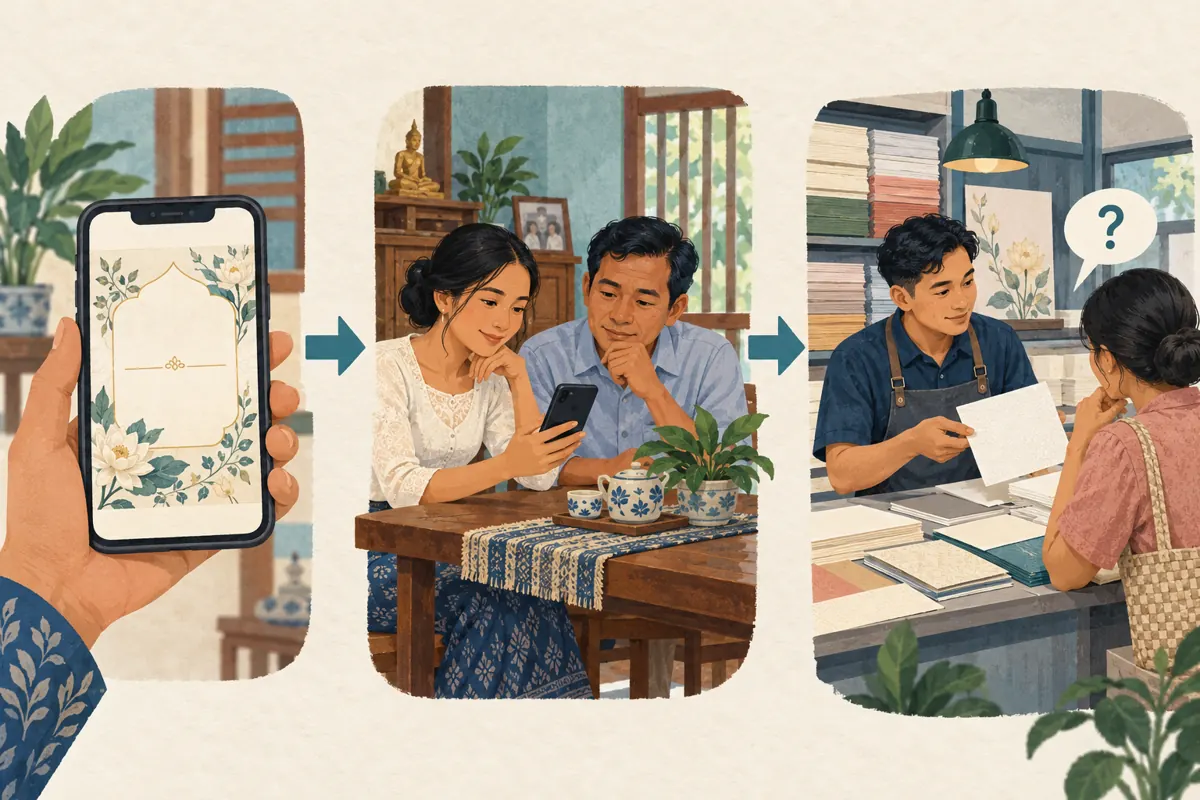
A customer likes an invitation design and wants to show it to a relative. Meanwhile, your designer is checking a different invitation containing private names, dates and venue details. Those two files need different sharing arrangements. For Cambodian invitation printers promoting their work through Telegram, putting everything in one channel can create an awkward choice between easy referrals and controlled distribution. This guide explains how to separate public samples from custom proofs, check Telegram’s content-protection setting, and decide whether a promotion destination is ready before considering an SMM panel. The aim is a useful customer journey: someone can share an approved design, identify it later and ask an informed question without exposing another customer’s information.
1. Start with the sharing task your customer needs
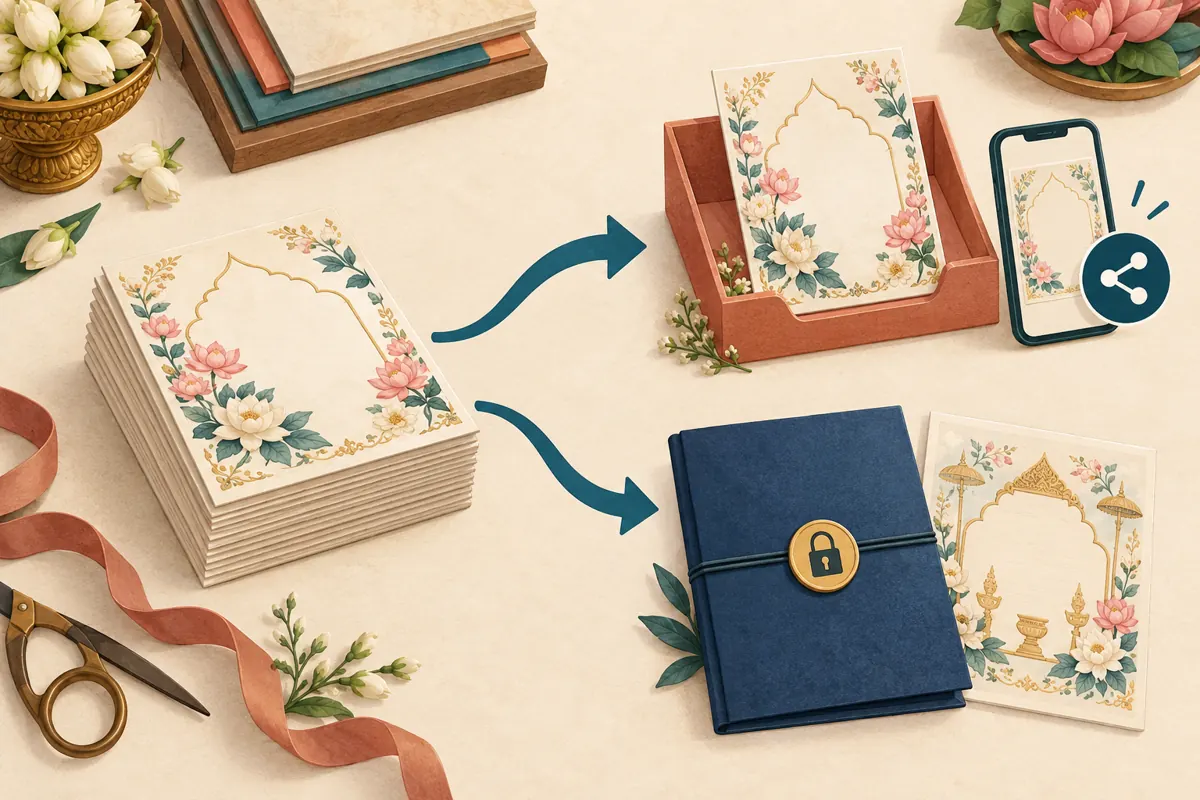
Consider a hypothetical invitation-printing shop in Phnom Penh. Its public catalogue shows floral borders, paper finishes and envelope combinations. A prospective customer wants to forward one sample to family members before requesting a quote. The same shop also handles private proofs that should circulate only among the people approving that particular order. Both activities use stationery images, but they serve different purposes.
Write down the next action for each type of content. A catalogue sample should help someone discuss a style and return with a reference. A proof should help an identified customer check spelling, layout and event details. A production file should reach the person responsible for printing. Decide those destinations before adjusting sharing controls. Otherwise, the shop may restrict its most useful promotional material while leaving sensitive working files in an unnecessarily broad audience.
2. Understand the scope of Telegram’s restriction
Telegram documents a content-protection option for groups and channels. It restricts forwarding, prevents screenshots and limits saving media. Its published navigation is Group or Channel Info, then Group or Channel Type, then Restrict Saving Content. Interface wording can vary, so locate the corresponding control in the app you use. See Telegram’s [Protected Content announcement](https://telegram.org/blog/protected-content-delete-by-date-and-more).
The important planning detail is scope: group or channel protection applies across that destination, rather than being a selective label for one sensitive invitation. Telegram’s technical documentation also identifies the owner as the person who can change this group or channel setting. See its [Content protection documentation](https://core.telegram.org/api/content-protection). These controls reduce ordinary redistribution; they do not make displayed information impossible to reproduce. Someone could describe what they saw or photograph a screen with another device. Keep unnecessary customer information out of broadly accessible spaces regardless of the setting.
3. Sort the files before choosing the setting
Make three working categories: approved promotional samples, customer-specific proofs and production material. For public samples, use a design the shop is entitled to display and remove personal details before exporting the image. Check small elements as carefully as the main text: a venue map, QR code, family name or contact number may still identify the original order. A decorative border can demonstrate craftsmanship without carrying those details.
Keep proofs with the people who need to approve them, and keep production files within the agreed delivery workflow. Do not assume content protection makes a mixed customer group suitable for confidential proofs. Members could still view material intended for someone else. In the hypothetical shop, the public channel receives generic sample designs, while each customer’s approval conversation follows a separate process. This classification is a business practice, not a Telegram feature that automatically sorts your files.
4. Choose between an open catalogue and a restricted collection
For a catalogue designed to encourage referrals, allowing ordinary sharing may support the task better than restricting the whole channel. The tradeoff is that approved images can travel beyond their original audience. Prepare them accordingly: include a modest shop identifier and a stable sample code within the artwork where practical. Neither element prevents copying, but both can help an interested person identify the source without relying on a remembered conversation.
A restricted collection may make sense when the intended experience is viewing selected work inside a controlled destination. Explain that arrangement before sending someone there. If your business needs both experiences, maintain a small public selection and a separate restricted collection instead of repeatedly changing one channel’s rules. Choose the arrangement you can maintain reliably. A small shop with limited staff may be better served by fewer carefully prepared public examples and a straightforward private proof process.
5. Test the experience with a harmless sample
Ask the owner to review the intended setting, then use an ordinary member account with permission to test the result. Create a harmless sample specifically for this check. Avoid using a live customer proof just because it is already available. On the devices your team actually supports, check whether the member can view the sample and whether the forwarding, copying or saving actions behave as expected.
Record the destination, device, app version, setting and observed result in a short note. Separate an observed result from an assumption about every customer’s device. If the setting is missing or behavior is unexpected, check the account’s role and available app updates before promising a particular experience. Do not search for ways around the restriction. The useful outcome is a clear operating decision: this destination supports the intended customer action, or the shop needs a different distribution arrangement before promoting it.
6. Give shareable samples enough context to survive forwarding
A beautiful image without context can produce a vague enquiry such as, “How much is this?” Prepare each promotional sample so staff can answer consistently. Use a reference code, identify what the picture shows and explain which choices affect a quote. For invitation printing, those choices might include quantity, paper, envelope style, printing method and whether layout work is included. State only options the shop actually offers.
For example, a hypothetical caption could read: “Sample FL-07 shows a floral invitation with a matching envelope. Ask us about available paper and printing options. For a quote, send the sample code, quantity and required collection date.” Translate the customer-facing wording into the language your audience uses, checking any Khmer text carefully. Keep personal event details for the appropriate private conversation. A shareable sample should help start that conversation without pretending to be an approved custom proof or a fixed offer.
7. Handle legitimate requests to share a restricted proof
Customers may need another person’s approval even when the original proof was intended for limited circulation. Agree on that review process at the beginning of the order. Ask who will confirm the wording and who has final approval authority. If another reviewer becomes necessary, arrange an authorized way for that person to participate rather than casually changing the protection of an entire collection.
One practical option is to prepare a separate review copy containing only the information needed for the decision. A relative choosing between borders may not need the full event address or every family member’s name. A person checking spelling may need the text but not a production file. Explain what the copy is for and preserve a clear version reference. Once feedback arrives, have the designated customer confirm the final proof so staff do not combine conflicting instructions from several informal conversations.

8. Resolve the destination before considering an SMM panel
An SMM panel cannot repair a sharing arrangement that frustrates the customer. Before considering any service, decide whether the target is the public sample destination or another approved asset. Do not supply private proof links or admit unrelated accounts to a customer review space to satisfy an order requirement. If a service’s access requirements conflict with your content controls, pause that proposal and keep the controls appropriate to the content.
The supplied catalogue includes the exact public name “Telegram - Premium Reactions - [❤️🔥 + Views]”. The title presents it as a reactions-and-views offering, but the brief provides no description. It therefore does not establish compatibility with protected content, delivery conditions, account characteristics or Cambodian audience origin. Verify current written terms before making a decision. Purchased engagement is not evidence of genuine interest, sales, ad delivery or Cambodian users, and should never be presented as customer approval. You can also choose to promote approved samples through your own channels without purchasing engagement.
9. Review enquiries separately from visible engagement
For this workflow, the most useful observations concern whether customers can complete the intended task. Record questions such as whether someone could share the approved sample, whether the recipient could identify it and whether the resulting enquiry included enough information for a quote. Ask how someone found the sample when that context is useful, while allowing an unknown answer. Avoid collecting private family conversations just to prove a referral.
In a hypothetical review, staff might notice that customers frequently ask whether an envelope is included. That observation suggests improving the sample caption, even if the post appears popular. Conversely, a shared image that produces no enquiry does not prove the sharing arrangement failed; the recipient may simply be comparing options. Keep any panel order and delivery record separate from these business observations. Make changes based on a specific problem you can explain, rather than attributing every later enquiry to a visible count.
10. Avoid changes that solve one problem by creating another
A common mistake is turning protection off across a mixed collection because one customer wants to forward a single design. Review the whole destination first. Another is treating a watermark as permission to publish a customer’s details. An identifier can help attribution, but it does not replace the customer’s agreement or your own file review. Equally, do not label a generic promotional sample as a completed customer order unless that description is accurate and authorized.
Avoid repeatedly switching between open and restricted distribution without telling staff. Someone may continue promising downloadable samples after the arrangement has changed. Keep a brief internal note stating which destination contains public samples, which process handles proofs and who can approve exceptions. Revisit the arrangement when you introduce a new collection or receive repeated sharing questions. The decision should remain tied to the content and the customer’s task, not to a desire to make a channel look busier.
Frequently asked questions
Should every invitation printer enable Restrict Saving Content?
No single setting suits every collection. Start with the intended action. A public sample catalogue may benefit from easy sharing, while a limited review collection may need restrictions. If both needs exist, separate the material and explain the arrangement. The decision should reflect what viewers are allowed and expected to do.
Can I protect one proof while leaving other posts in the same channel shareable?
The group or channel setting discussed here applies across that destination. Do not plan your workflow around it acting as a per-post switch. Put the sensitive proof in an appropriate separate review process, then publish a deliberately prepared generic sample in the public catalogue if you want referrals.
Does content protection make it safe to post complete customer invitations?
It does not remove the need to control who can see them. Viewers can learn the information even when ordinary redistribution is restricted. Share only the details needed by the intended reviewers, obtain the appropriate agreement, and avoid placing unrelated customers’ proofs together in a broadly accessible collection.
What if a customer needs a family member to check the wording?
Arrange that reviewer’s participation with the customer. Use an authorized review copy or agreed conversation, identify the version, and clarify who gives final approval. Do not change the distribution rules for a whole collection merely to resolve one approval request. This also reduces conflicting edits and accidental printing from an outdated proof.
Can a reactions-and-views service show that the sample appeals to Cambodian buyers?
No. A service label or delivered engagement count cannot establish that conclusion. Look instead at genuine enquiries about the design, quoting requirements and confirmed business records. The catalogue example supplied for this article has no descriptive terms, so its title alone also cannot confirm compatibility with protected Telegram content.
Explore the current service catalogue, create an account, or ask a specific question through support tickets.
- Telegram: Protected Content, Delete by Date, Device Management and More
- Telegram API: Content protection
Prepared with AI assistance. Illustrations explain the workflow and do not represent customer results.